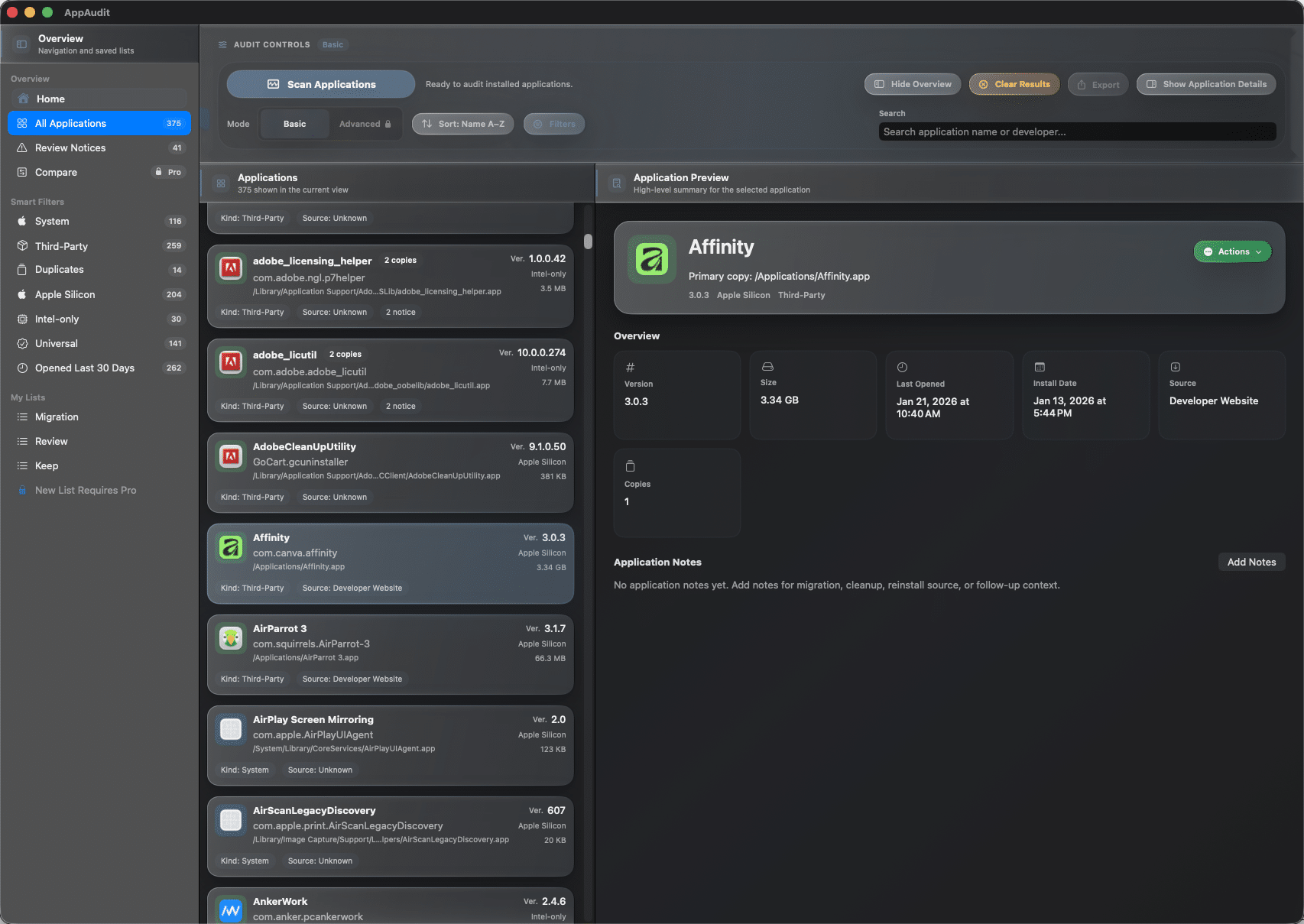
Scan your installed apps in one place
Bring installed app bundles into one organized view so you can review what is on your Mac without piecing it together manually.

Explore AppAudit
From app inventory and duplicate detection to notes, filters, exports, and advanced review tools, AppAudit gives you a clearer way to see what is installed and decide what to keep, review, or remove.


This page was updated on 7/23/26. See Release Notes for details.
AppAudit looks at home in both Dark Mode and Light Mode, giving you the same clear inventory, review tools, and app details in a presentation that matches how you like to work on your Mac.


From scan to decision
AppAudit helps you move from scattered app clutter to a more organized review process, so you can see what is installed, understand what matters, and decide what to keep, revisit, or remove.
Start by building a clear inventory of the apps on your Mac. AppAudit brings installed applications into one place so you can review them more easily than a manual Finder walk-through.
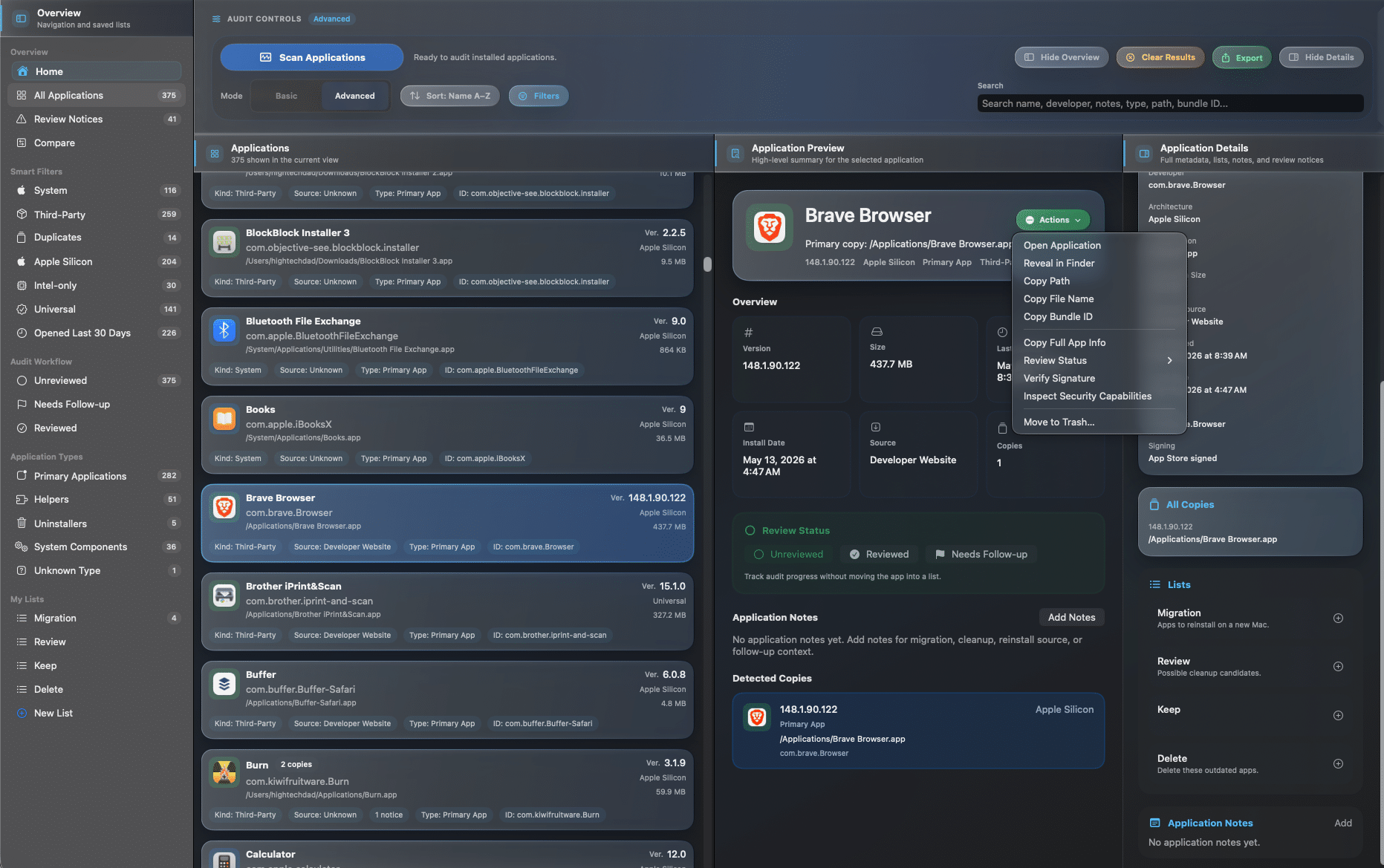
Review duplicate apps, outdated installs, architecture details, and notices that help you see which apps may deserve a closer look before cleanup or migration.
Use notes, lists, search, sorting, and filters to work through what you want to keep, review, reinstall, or remove without losing track of your plan.
Unlock AppAudit Pro for advanced inspection, export tools, comparison workflows, and richer review features when your inventory needs a more detailed audit.
Inventory and discovery
AppAudit helps you move beyond a manual Finder walk-through by building a clearer inventory of your apps, surfacing useful review context, and making the overall picture easier to understand.
Bring installed app bundles into one organized view so you can review what is on your Mac without piecing it together manually.
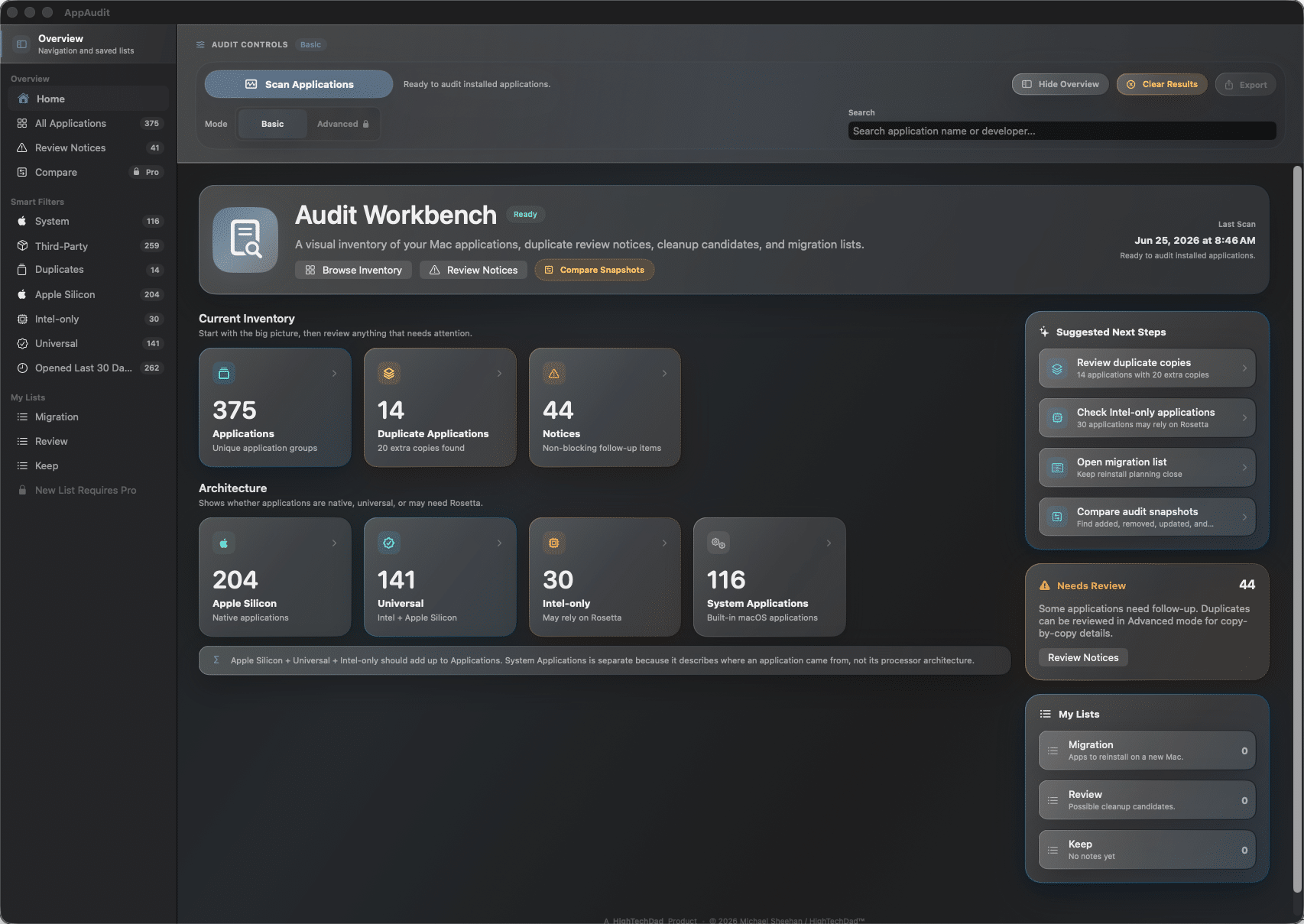
Review scan totals, app counts, copies, notices, and other high-level signals that help you understand the size and shape of your inventory.
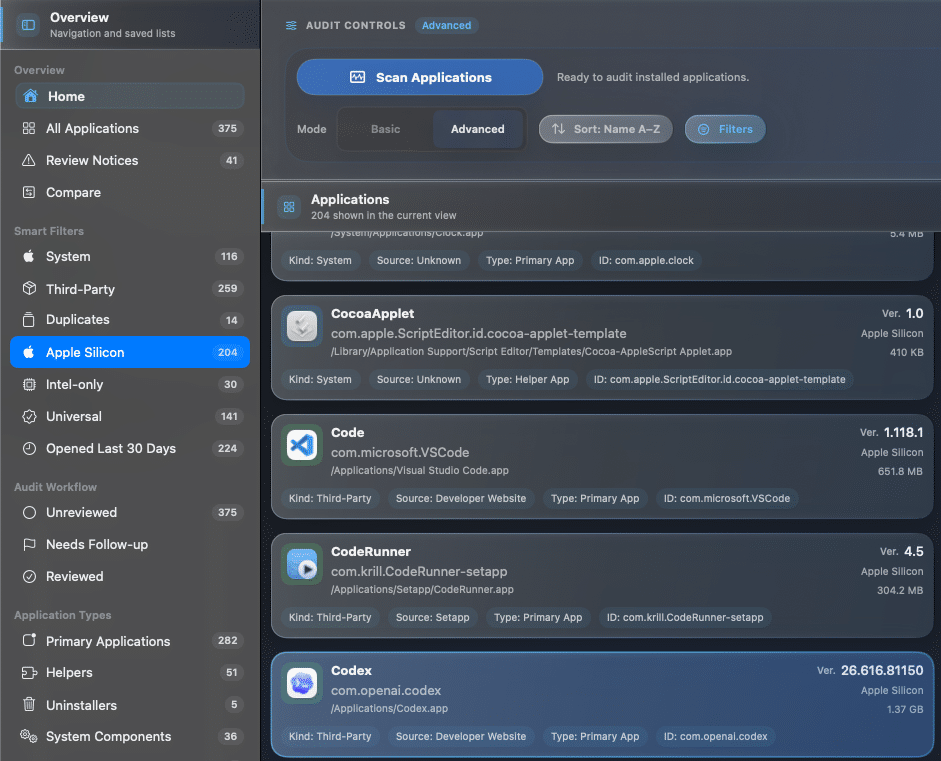
Quickly see whether apps are Apple Silicon, Universal, or Intel-only, which is especially helpful during cleanup, migration, and upgrade planning.
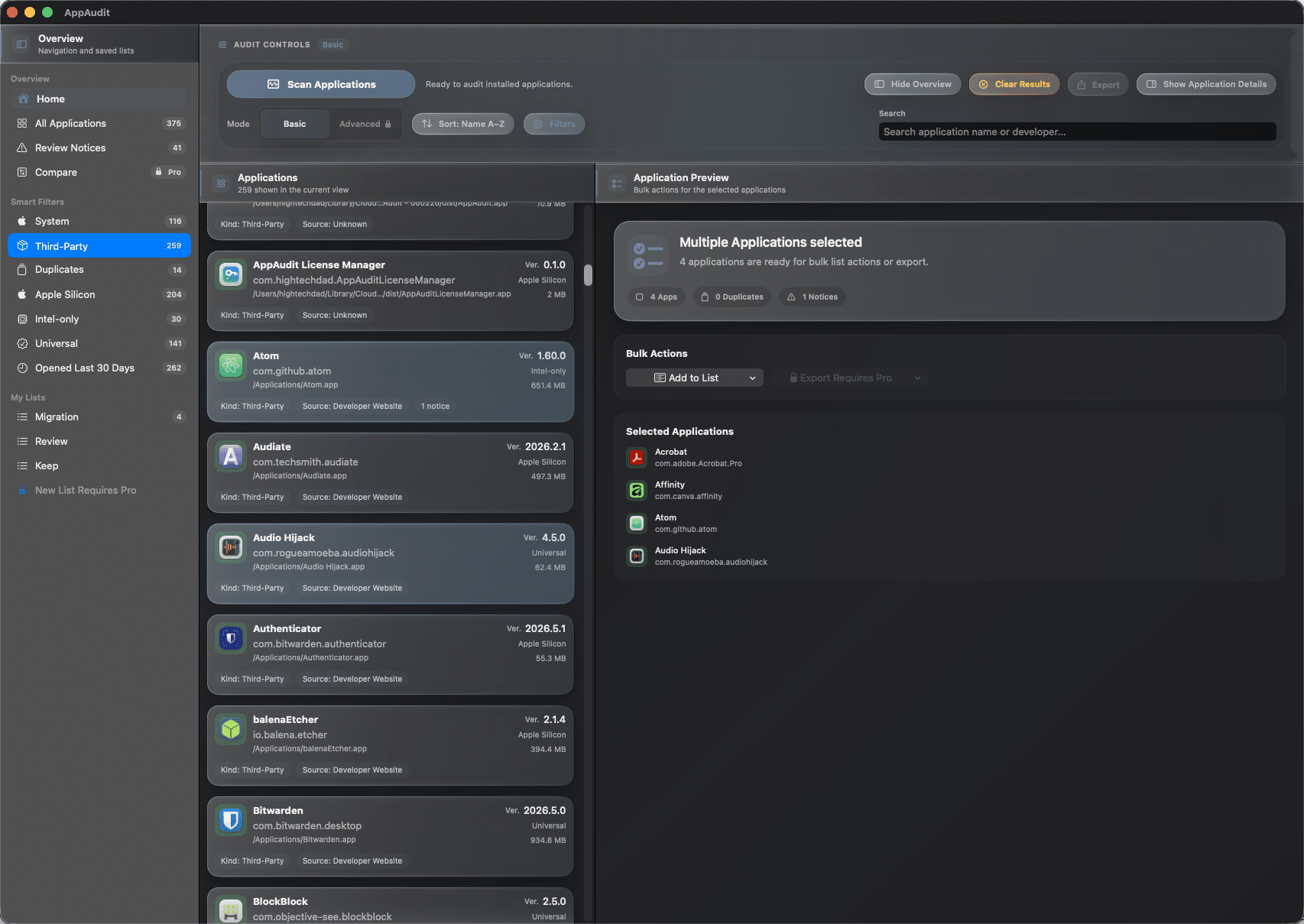
Grouped application rows and a clearer presentation help you review a large app inventory without getting overwhelmed by unnecessary clutter.
Duplicates, details, and review
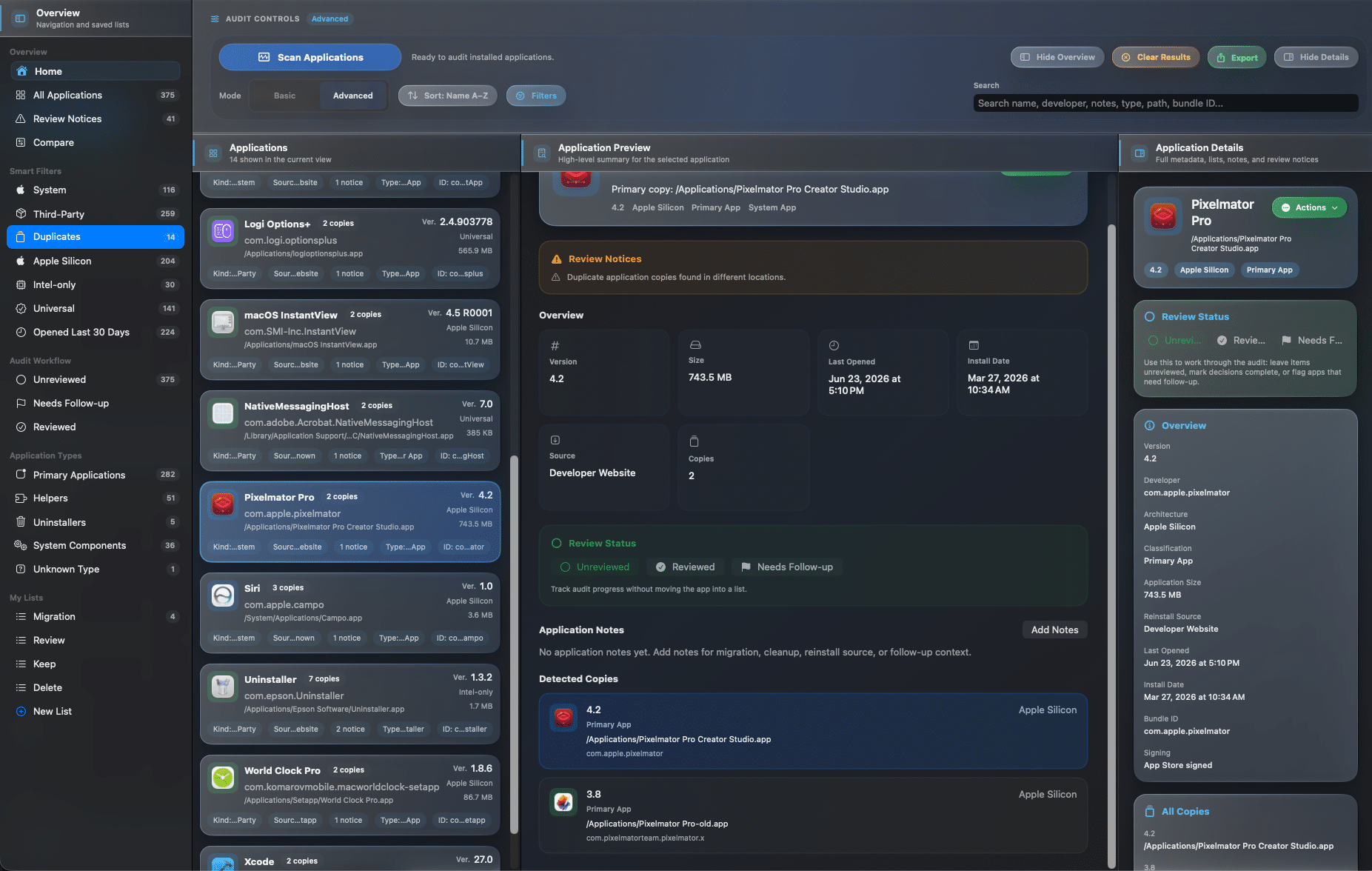
AppAudit helps you see when more than one copy of the same app has been found, while keeping the main inventory easier to scan and understand.
Duplicate detection
AppAudit helps you see when more than one copy of the same app has been found, while keeping the main inventory easier to scan and understand.
Detect apps with multiple discovered copies
See duplicate counts in the inventory and dashboard
Keep duplicates grouped instead of cluttering the main list
Use Pro for deeper copy-by-copy inspection
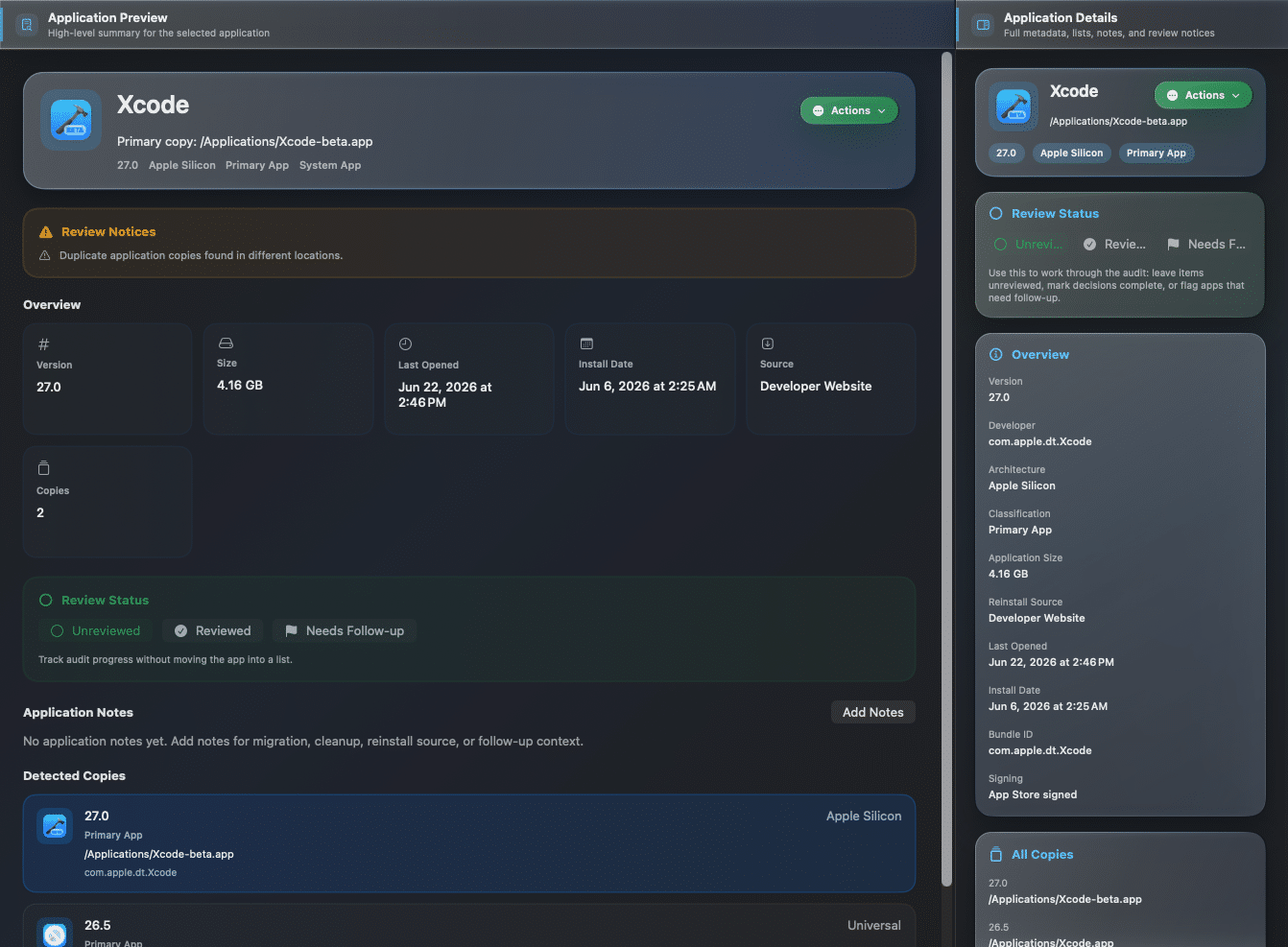
App Details
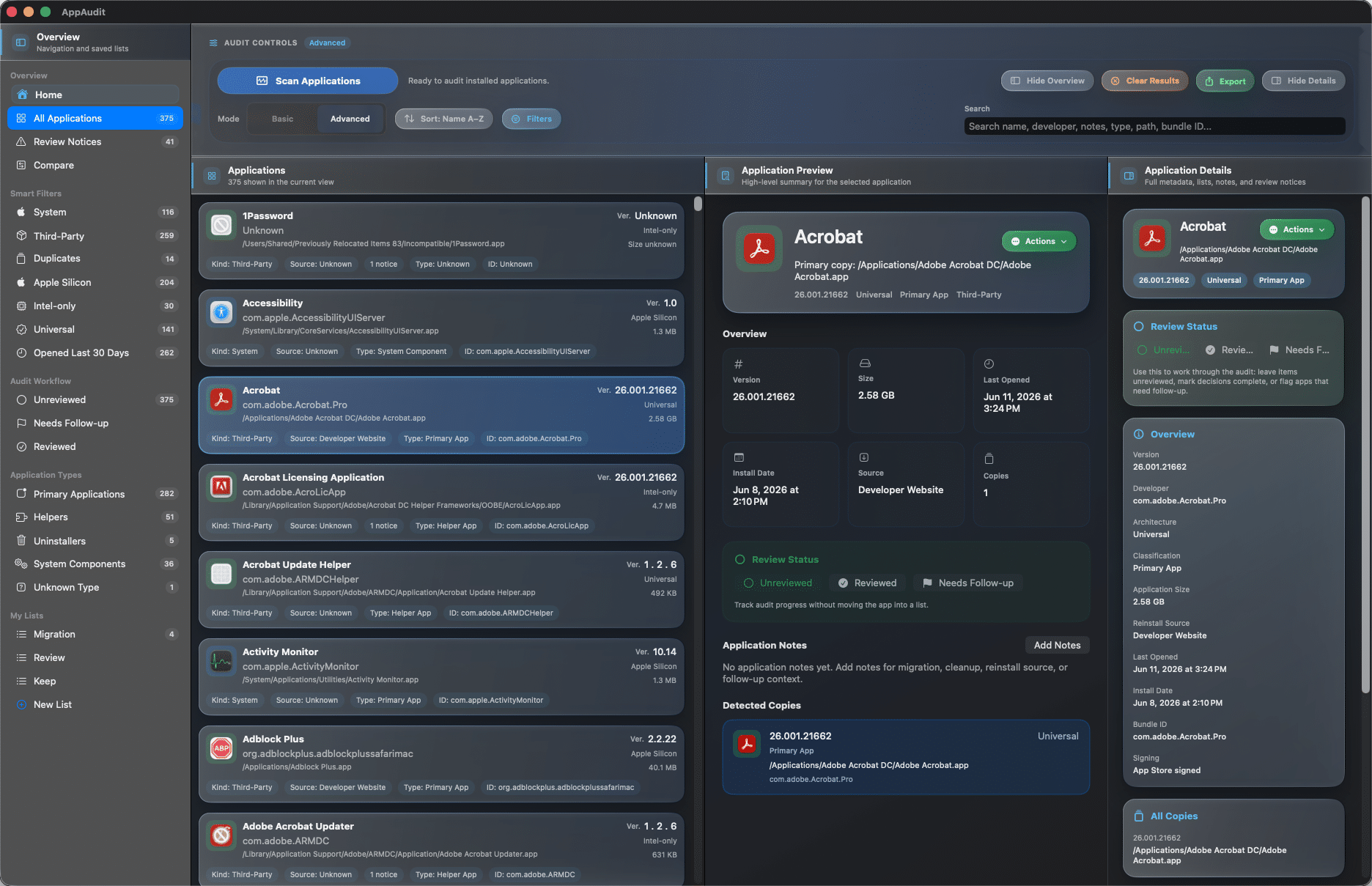
Open an app’s details to understand what it is, where it lives, and why it may deserve a closer look. Pro unlocks deeper metadata and copy-level inspection when you need it.
See path, version, size, and key dates
Review source hints, notes, and list membership
Understand the primary copy at a glance
Unlock richer metadata in Pro
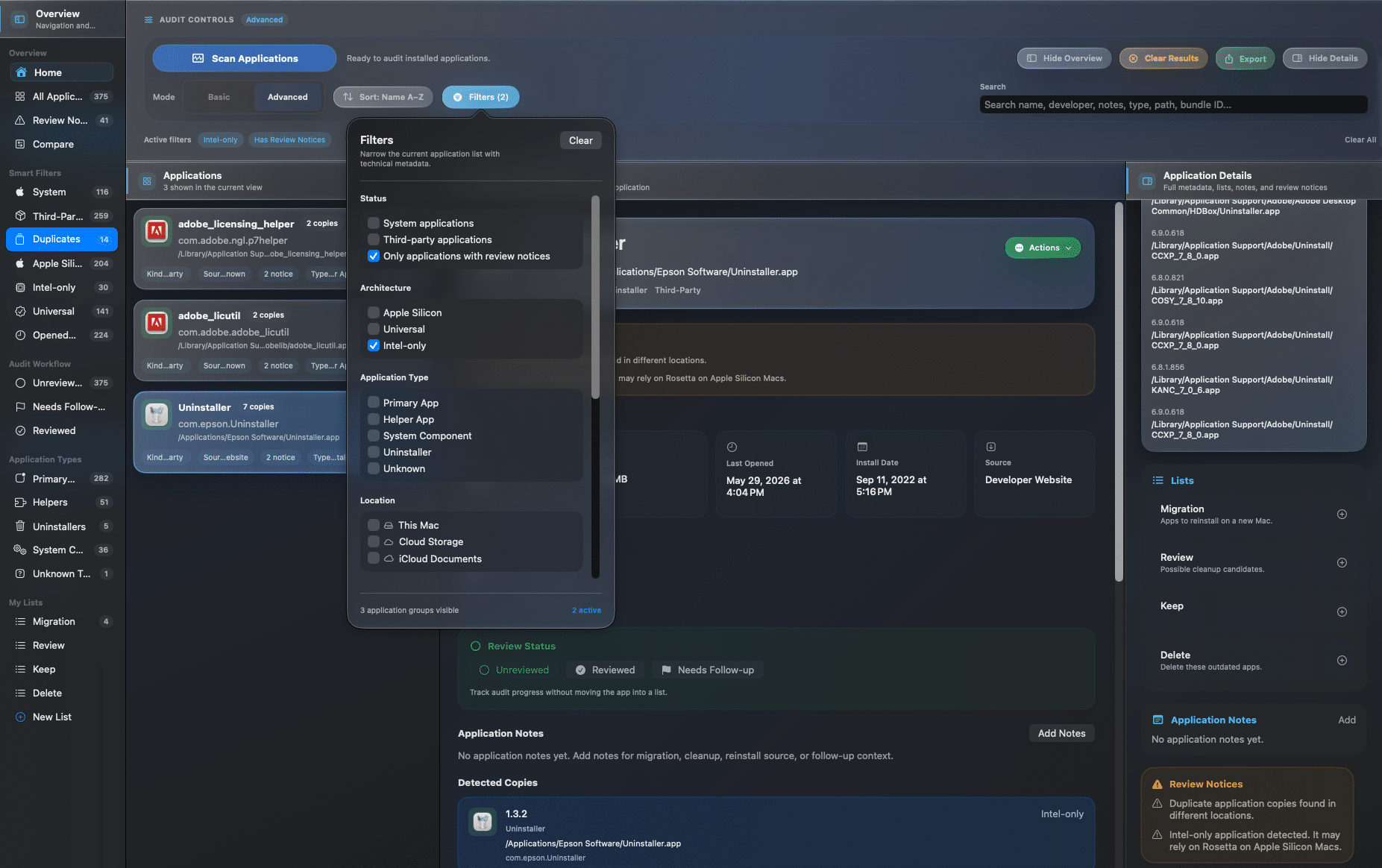
Review Notices
Review notices help surface apps that may deserve follow-up, such as duplicates or other notable conditions, so you know where to focus first.
Highlight apps that may need review
Reduce guesswork during cleanup and migration
Combine notices with notes, lists, and filters
Use Pro for deeper follow-up workflows
Search, filters, and organization
AppAudit helps you narrow large inventories, find the apps that matter, and organize your decisions with search, sorting, filters, notes, and lists that keep review work practical.
Quickly find the apps you want to review without scrolling through your full inventory.
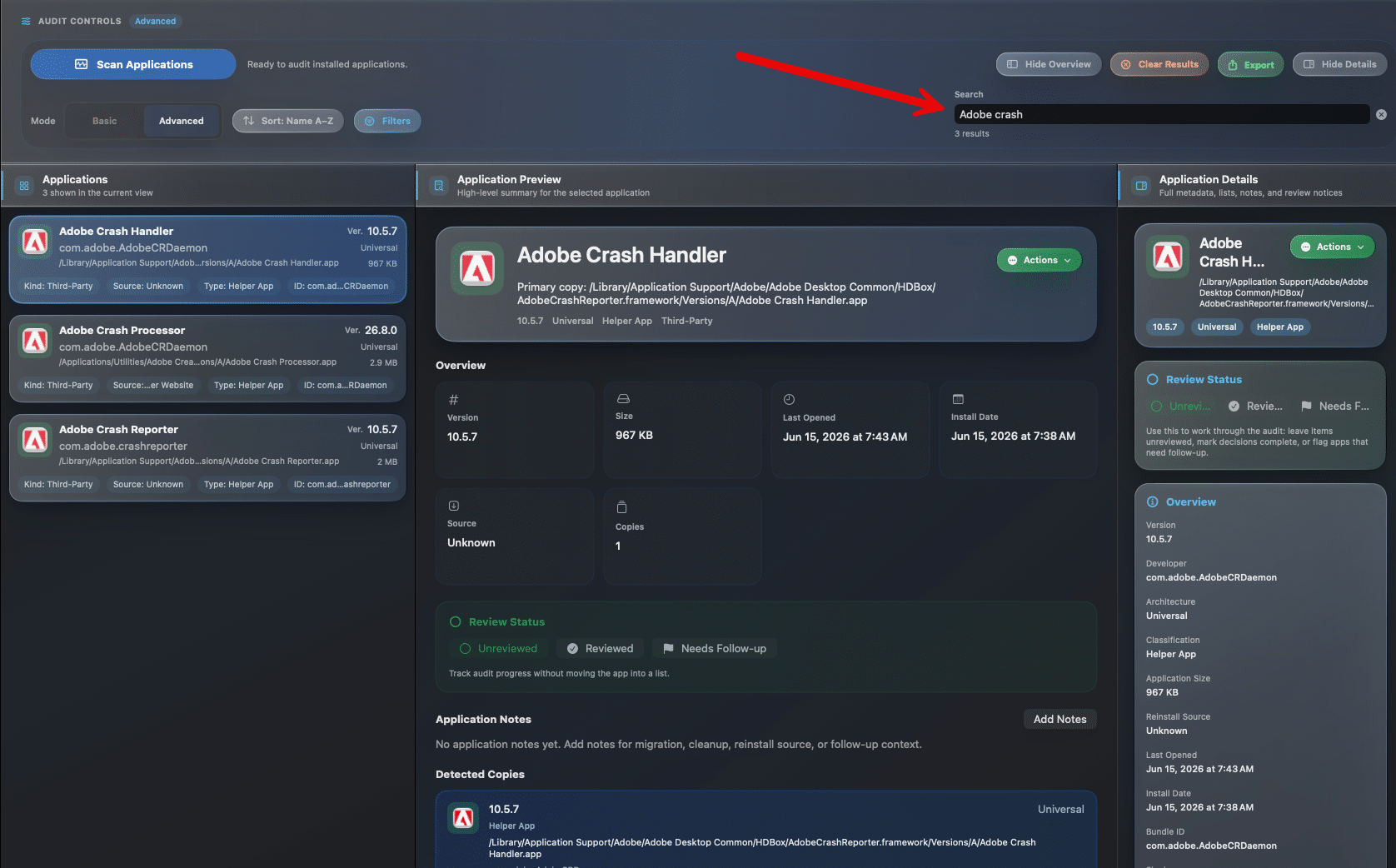
Search by application name
Search by developer name
Find apps faster in larger inventories
Reduce time spent hunting manually
Change the order of your app list to review what matters first, whether that is by name, size, version, or dates.
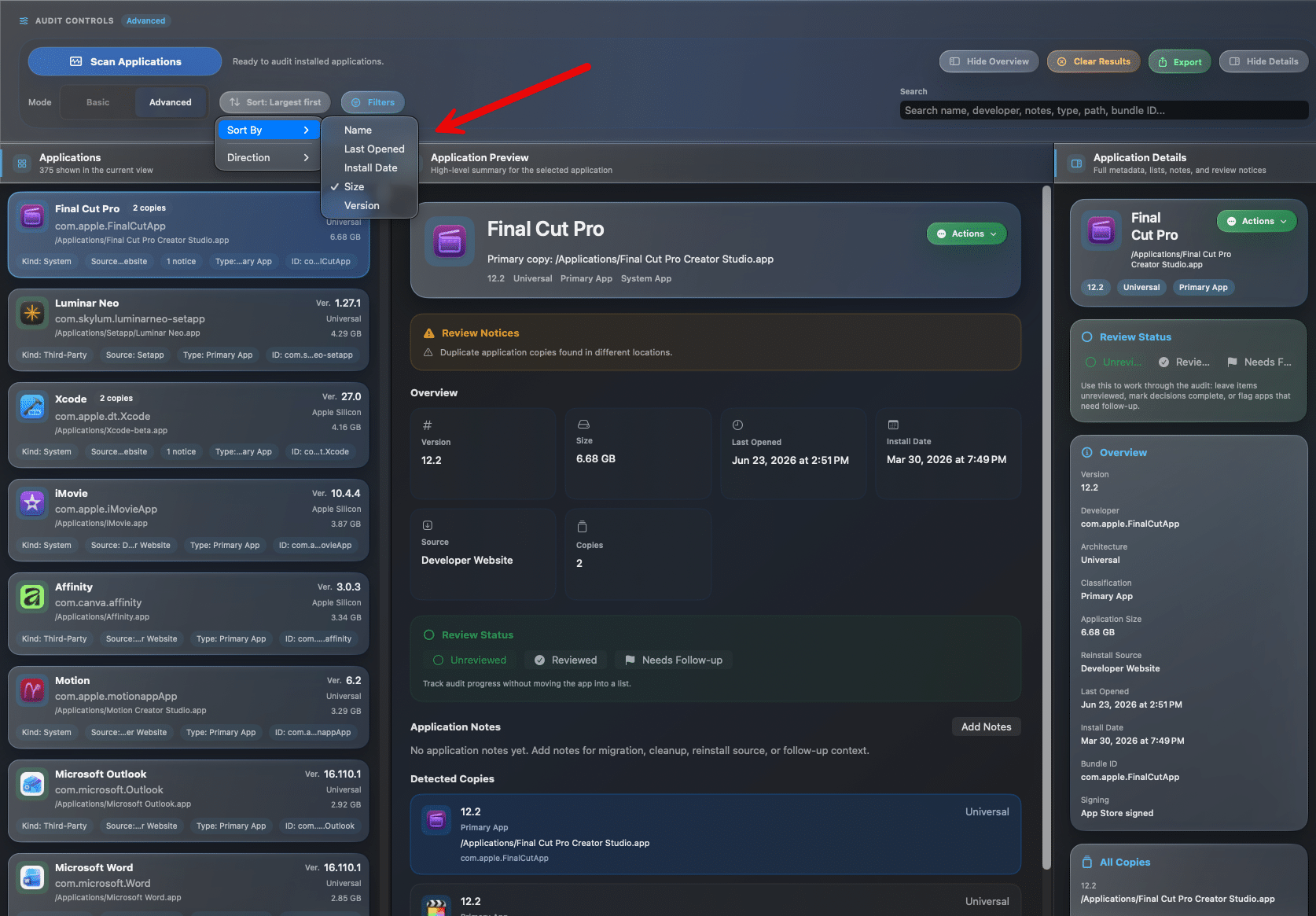
Sort by name
Sort by version and size
Sort by install or last-opened dates
Use different views for different review goals
Use filters to narrow the inventory down to specific categories, making cleanup, migration, and review much easier.
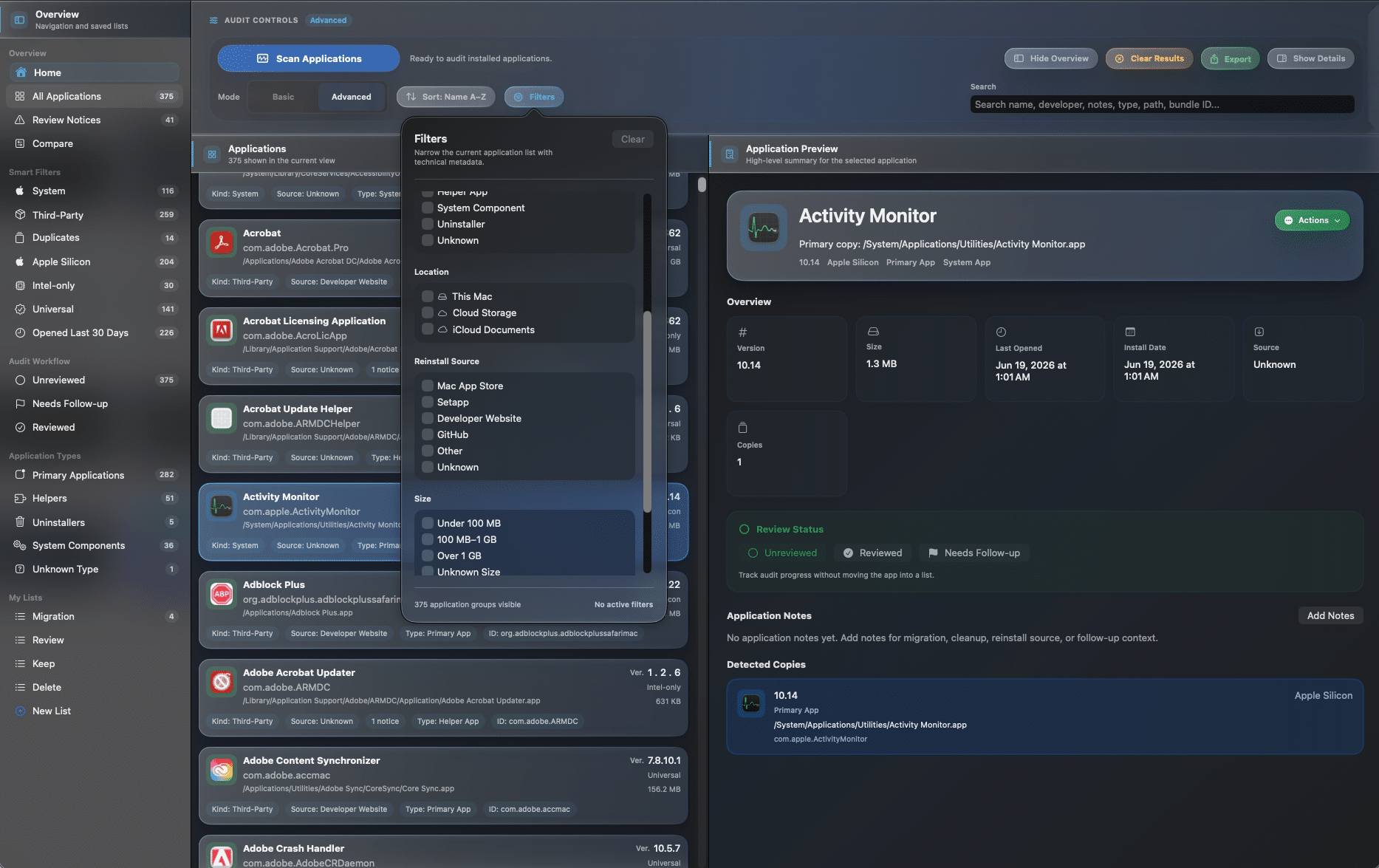
Filter duplicates, system, and third-party apps
See Apple Silicon, Universal, and Intel-only apps
Focus on apps opened recently or long ago
Reduce visual noise in large inventories
Capture reminders, migration plans, and cleanup thoughts directly inside AppAudit so your decisions stay connected to the apps themselves.
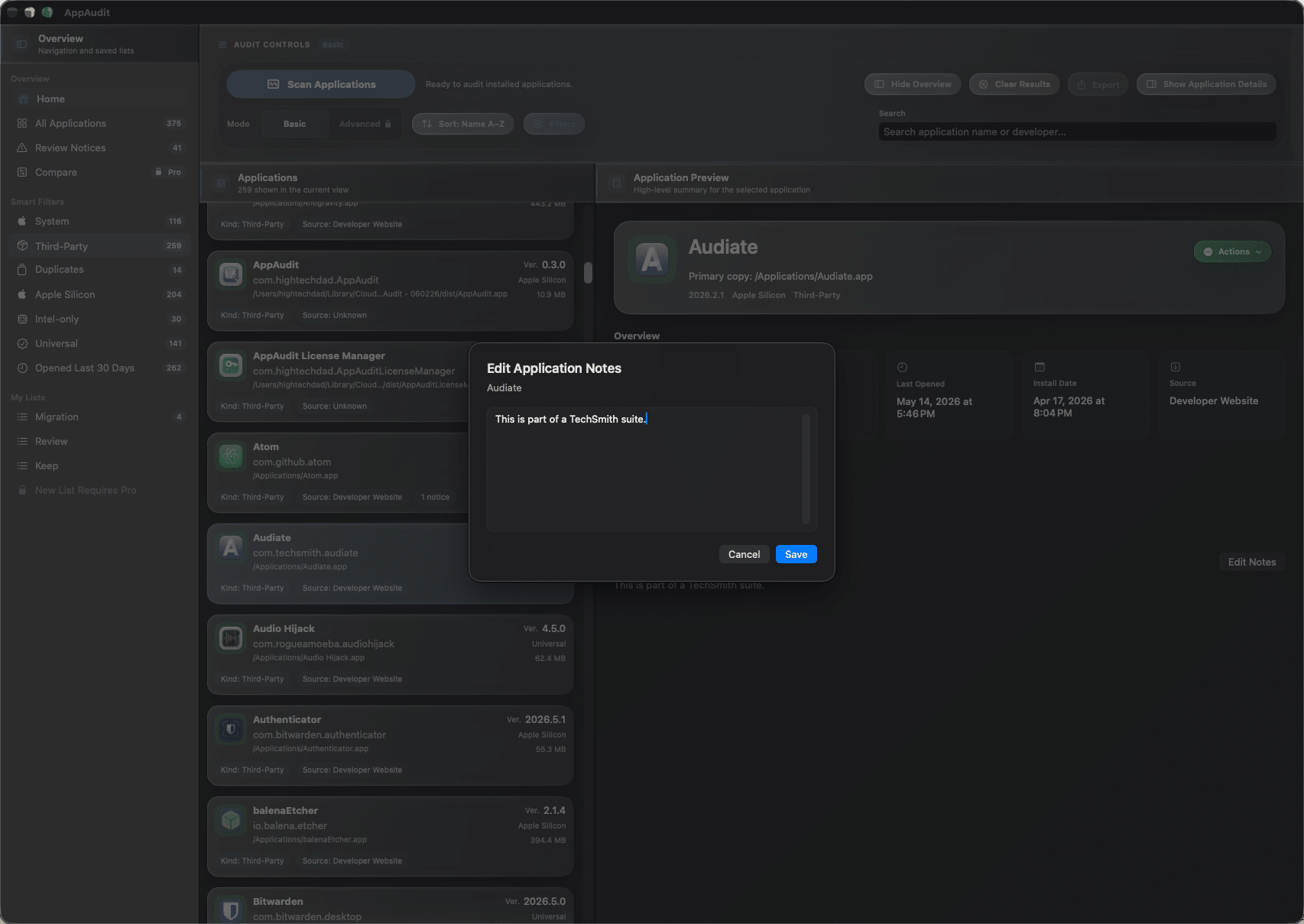
Add notes to individual apps
Keep track of why an app matters
Write practical reminders for later
Turn review into a documented process
Build simple working lists like Keep, Review, Reinstall, or Delete so your inventory turns into a real action plan.
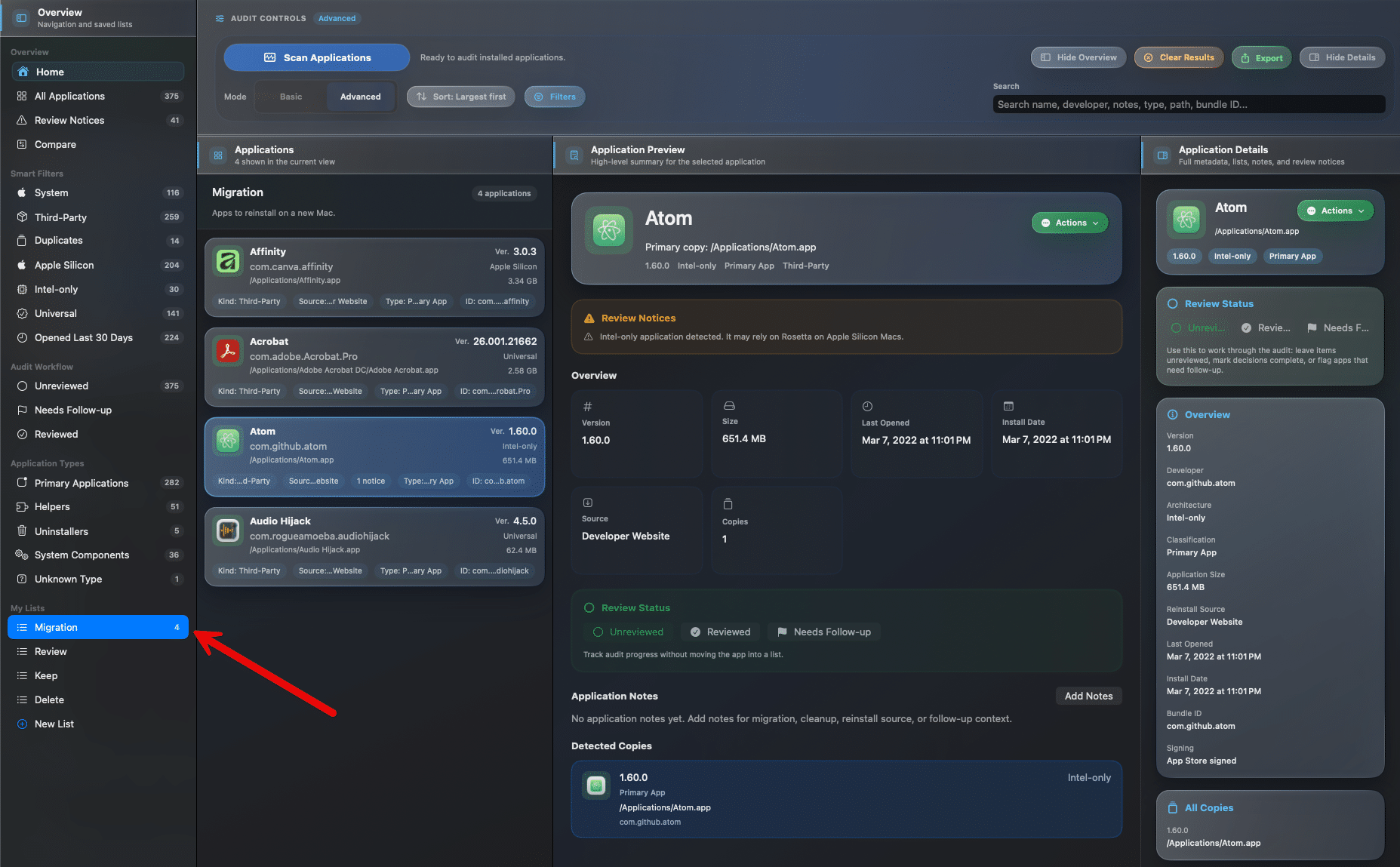
Create custom lists for real tasks
Add apps to lists while reviewing
Keep list membership after rescans
Use lists for migration and cleanup planning
Select multiple apps at once and update your lists more efficiently when you are working through larger inventories.
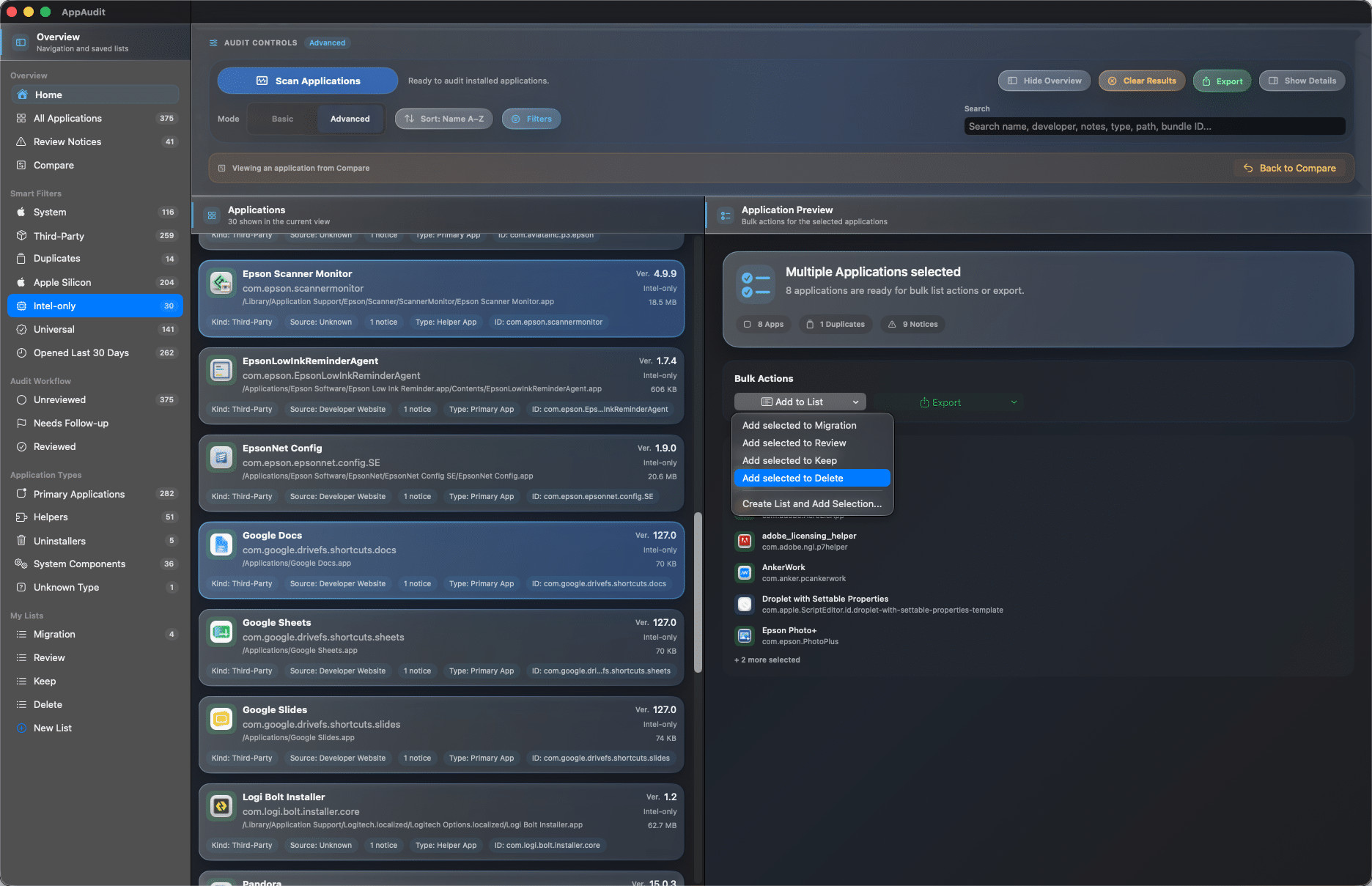
Use familiar multi-select behavior
Add several apps to a list at once
Remove several apps in one step
Handle larger reviews with less friction
AppAudit Pro
AppAudit Pro unlocks deeper inspection, richer exports, comparison workflows, and more advanced review tools for users who want a fuller picture of what is installed on their Mac.
See what changed between systems or scans by comparing the current Mac with saved AppAudit snapshots to spot added, removed, updated, or moved apps.
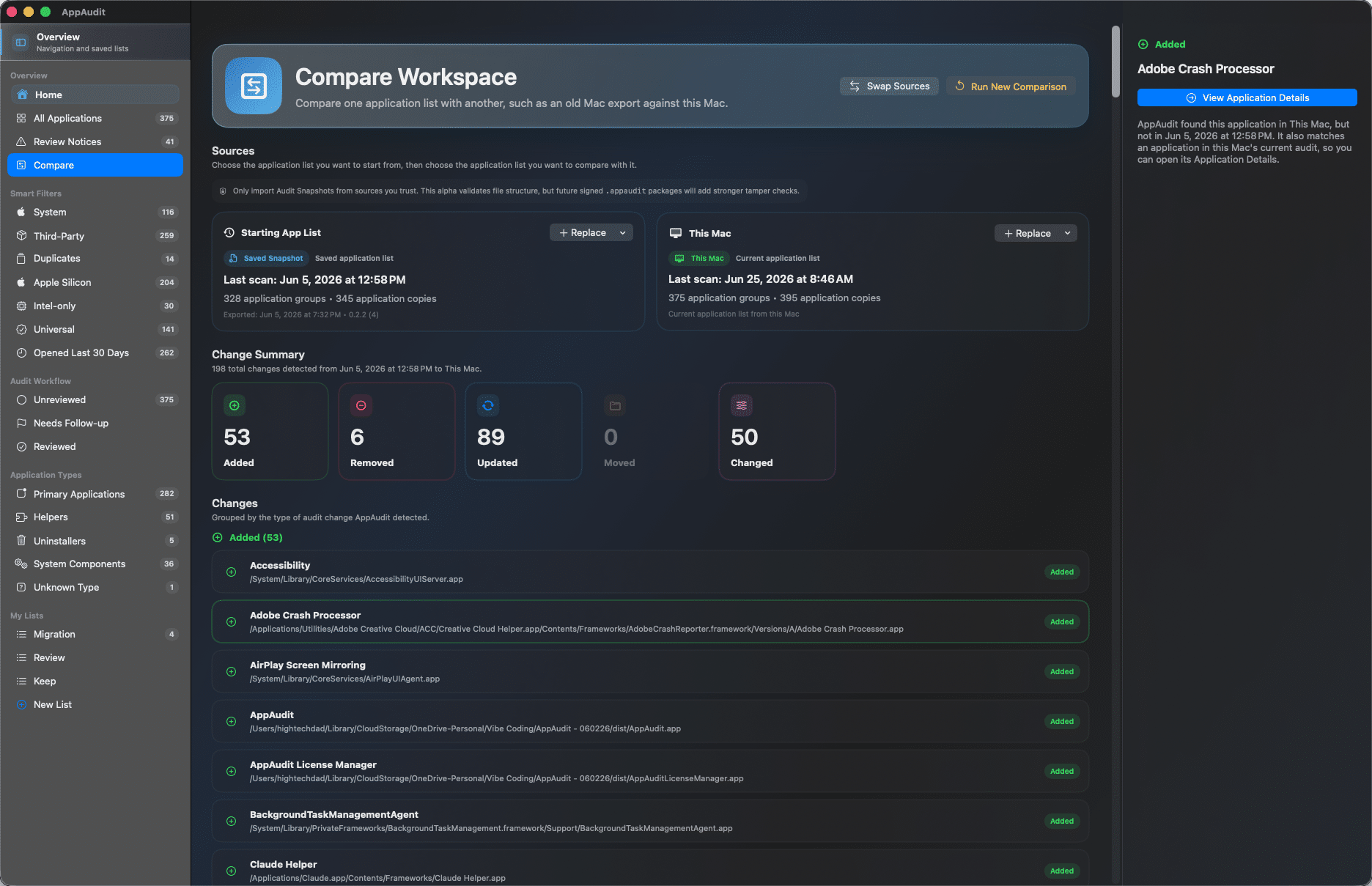
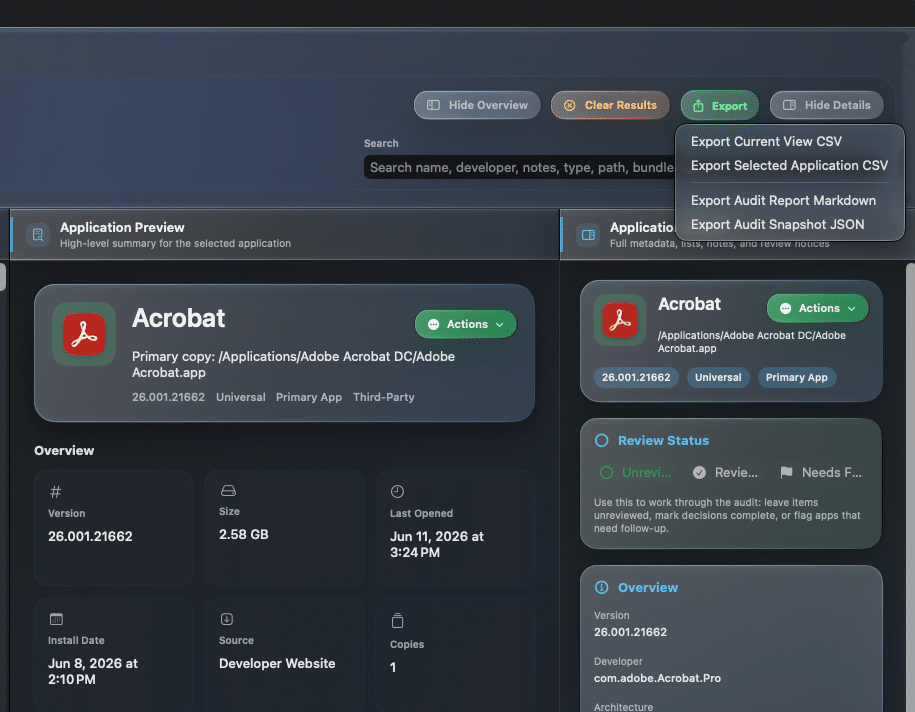
Export CSV files, Markdown audit reports, and JSON snapshots so you can document a setup, plan a migration, or keep a reliable inventory record.
Go beyond grouped duplicates and review each discovered app copy with its location, architecture, bundle details, and related metadata.
Narrow large inventories with deeper search plus filters for app type, reinstall source, size, last-opened history, and detected locations.
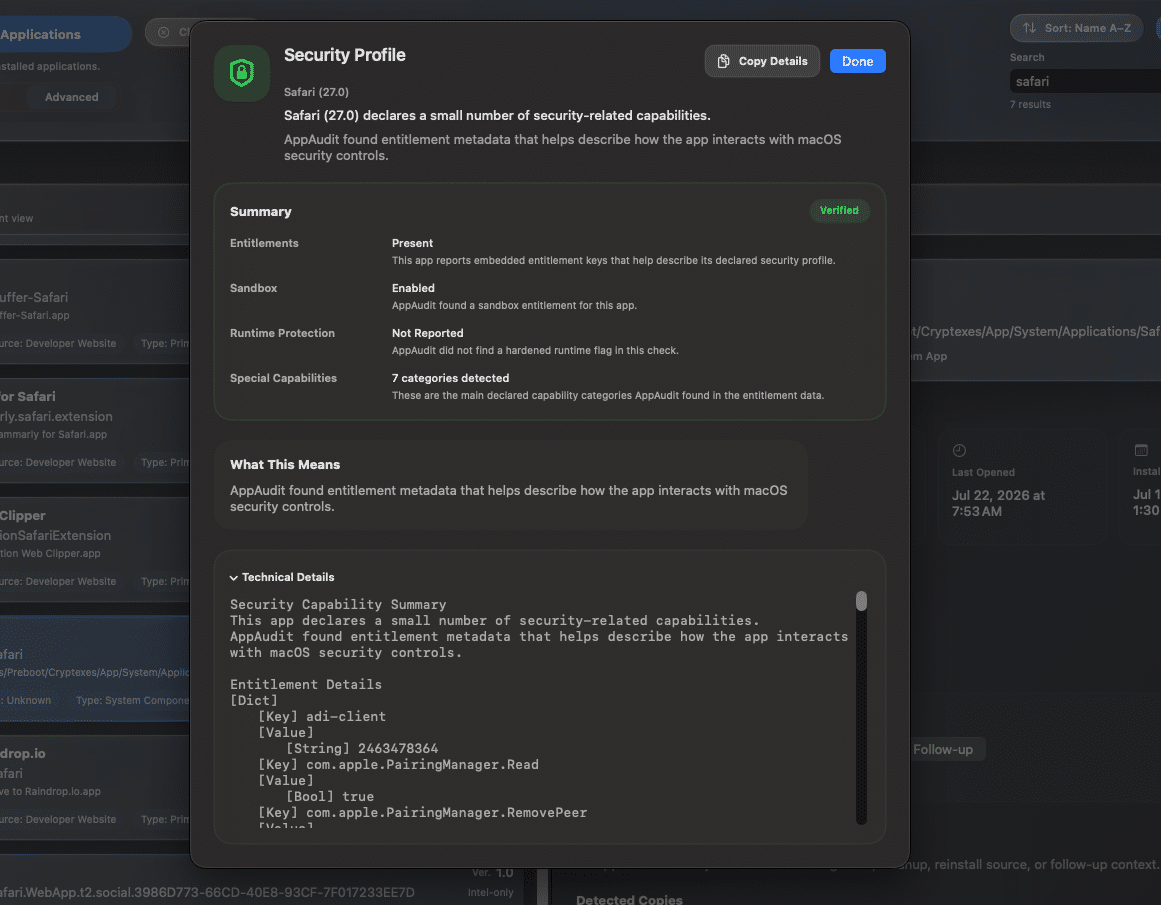
Manage review progress, organize individual copies more precisely, and use advanced actions like signature checks, security inspection, and guarded cleanup workflows.
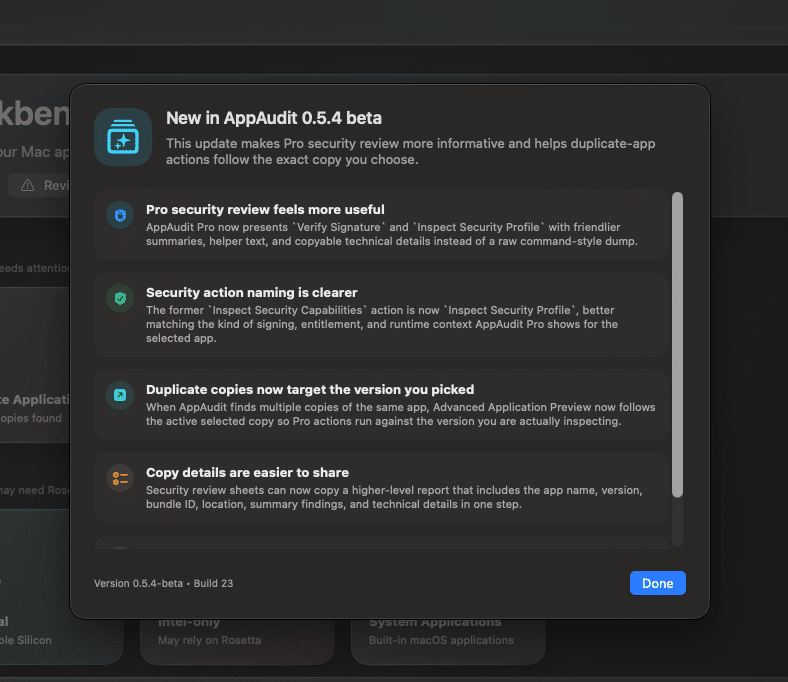
Use Verify Signature and Inspect Security Profile to review code-signing, entitlements, runtime protections, and other security context in a clearer, more informative format.
AppAudit Consultant
AppAudit Consultant includes everything in AppAudit Pro, then builds on it for people who help others review, troubleshoot, migrate, and clean up their Macs. It adds customer-license workflows for guided, time-limited access during real support sessions while keeping the overall experience local-first and approachable.
Create customer-specific temporary Pro access for guided support, migration prep, troubleshooting, or cleanup sessions.

Use Consultant when a customer needs temporary deeper review tools without making the full Pro upgrade permanent.
Give customers deeper tools for a limited time, then let their access return to Free when the engagement ends.
Manage temporary customer access in a way that fits short-term support work without changing AppAudit's local-first approach.
Real-world use cases
Whether you are cleaning up an older Mac, preparing for a migration, reviewing duplicates, or documenting what is installed, AppAudit helps turn scattered app information into a clearer plan.
Build a clearer inventory before migration so you know which apps to keep, reinstall, review, or leave behind.
Find apps that have been sitting untouched, compare versions and details, and decide what still belongs on your Mac.
AppAudit gives you one place to review your apps, surface what needs attention, and organize decisions before cleanup, migration, or deeper audit work.
Spot duplicate copies more easily and understand which apps may need a closer look before you start removing anything.
Keep a clearer record of what is installed for cleanup planning, troubleshooting, migration prep, or long-term maintenance.
Help & Onboarding
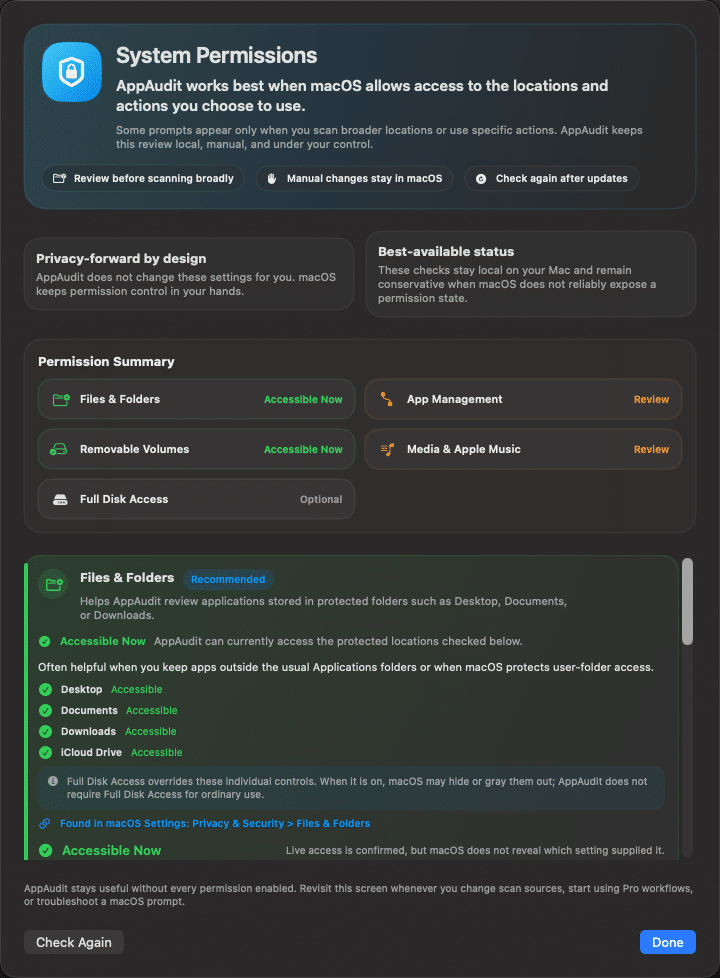
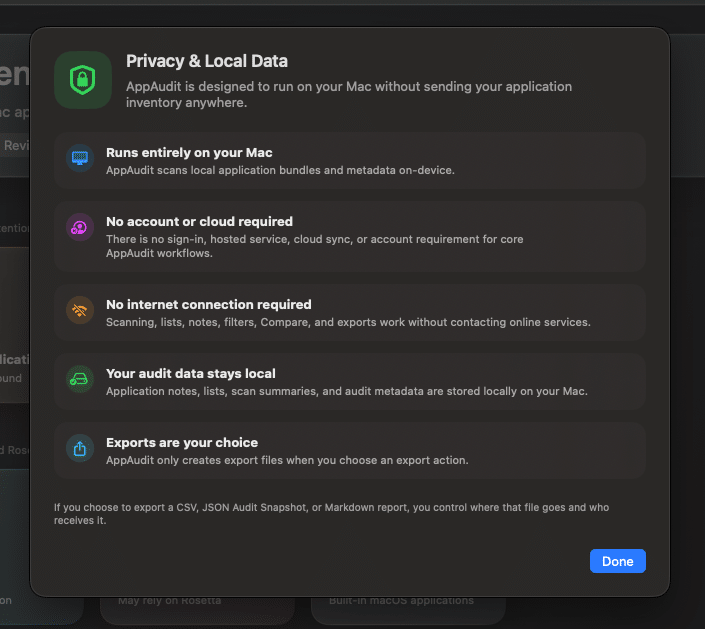
AppAudit is designed to be approachable even when the work is detailed. Built-in guidance helps you understand the interface, the scan process, privacy expectations, and the macOS permissions that may matter as you go deeper.
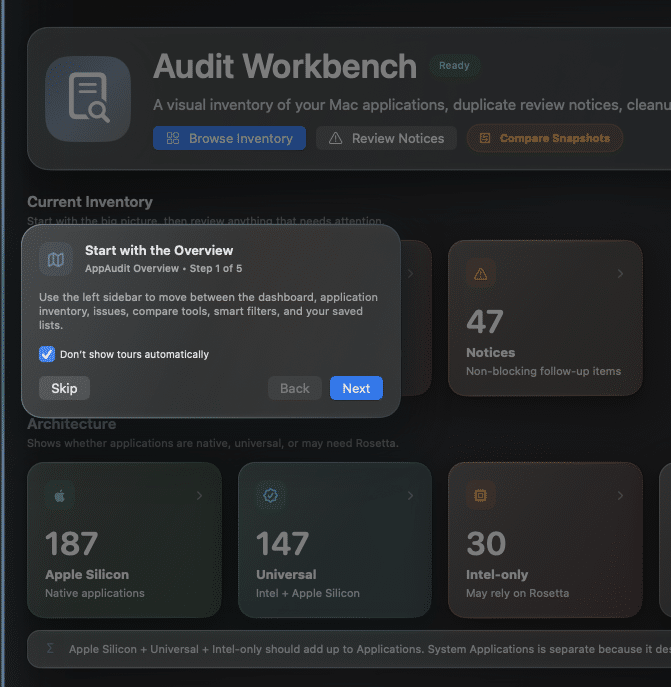
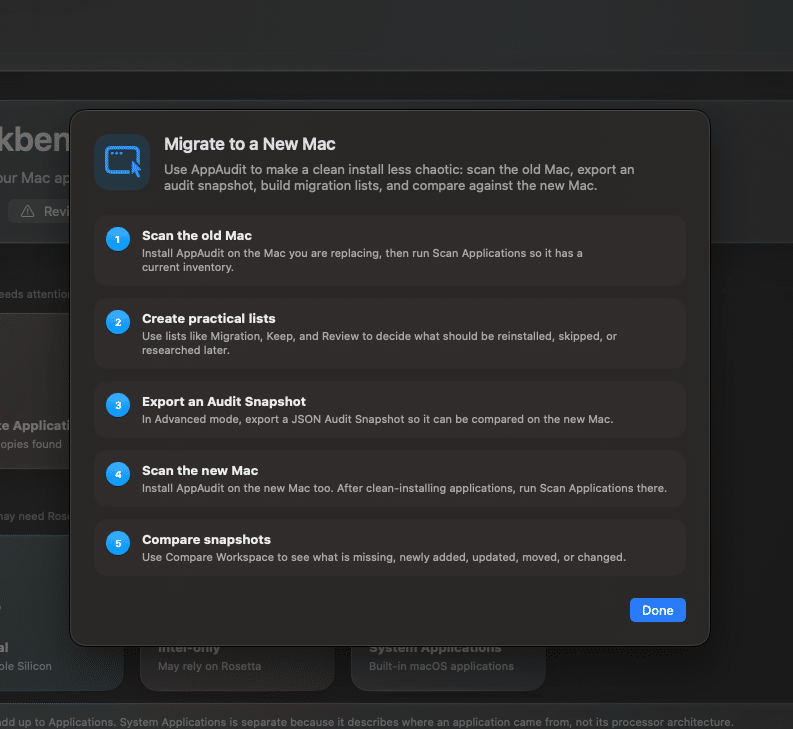
Get started
AppAudit helps you understand what is installed on your Mac, review what deserves attention, and organize your next steps with more confidence. Start free, then unlock Pro for deeper audit, export, and comparison tools.


